

Guides
Cheap Bulk Mockup Generator for Printify: The Smart Seller's Guide
Stop wasting hours on manual Photoshop work. Learn how a cost-effective bulk mockup generator for Printify scales your store fast. Start automating today.
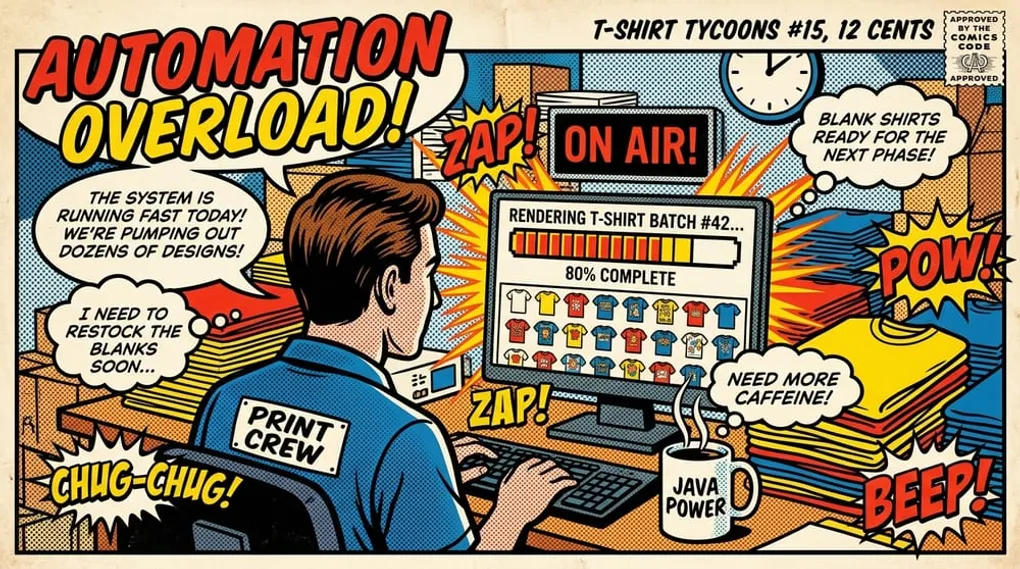
Cheap Bulk Mockup Generator for Printify: The Smart Seller’s Guide
When you’re scaling a print-on-demand store, finding a cheap bulk mockup generator for Printify isn’t just about saving a few dollars a month. It’s about buying back the hours you currently spend wrestling with zip files, manual Photoshop layers, and repetitive uploads. This guide helps you navigate the trade-offs between cheap manual work and efficient, high-ROI automation tools.
The most cost-effective bulk mockup generators connect directly to your Printify and Shopify workflows. They handle batch processing and displacement mapping automatically, letting you push dozens of high-resolution, realistic product images to your storefront in minutes instead of days.
Key takeaways
- Manual mockup generation is a hidden tax on your profit margins, costing you hours of uncompensated labor.
- “Free” mockup tools often produce low-res, generic flat-lays that hurt conversion rates on Etsy and Shopify.
- A cost-effective bulk generator should offer batch processing, true displacement mapping, and direct integration with your existing catalog.
- Automating your visual assets allows you to launch more product variants, testing new designs faster without burning out.
- Moving from single-upload workflows to a centralized dashboard keeps your creative momentum high and your queue moving.
Why Manual Mockups Are Killing Your Profit Margins
If you’re running Shopify and Printify together, you already know the drill. You finalize a great design. You know it’s going to sell. But before you can get it in front of buyers, you hit the wall.
You download a massive zip file of blank PSD templates. You open Photoshop. You drag your transparent PNG onto the smart object layer. You adjust the scale, hoping you didn’t mess up the DPI. You save the file. You export the JPEG. You do it again for the back print. You do it again for three different colors. And you do it again for the next apparel style.
It’s soul-crushing.
Photoshop automation fatigue is a real problem for POD sellers. Your time is literally money. Every hour you spend doing data entry and repetitive file manipulation is an hour you aren’t spending researching trends, tightening your Etsy SEO workflow, or launching new ad campaigns.
You might think doing it yourself is “free” because you already pay for an Adobe subscription. But when you calculate the volume of designs a successful store needs to test, that manual workflow is the most expensive bottleneck in your business. You don’t need a cheaper way to do it manually. You need a fast, reliable, automated system.
The Hidden Trap of “Free” Mockup Generators
When sellers realize manual mockups are unsustainable, they often try a free mockup app. And they usually regret it.
Free tools have massive limitations. You end up with a cheap flat-lay look. The lighting is completely flat. There’s no texture. The design looks like a digital sticker slapped on top of a generic t-shirt, rather than ink absorbed into the fabric. Buyers aren’t stupid. They can spot a fake, low-effort listing image instantly.
If your main image doesn’t look like a real, physical object, they won’t click. And if they don’t click, your listing disappears into the marketplace grid.
Worse, free generators almost always lack batch processing. You’re still uploading one design at a time, selecting one shirt color at a time, and downloading one image at a time. It’s only slightly faster than Photoshop.
You have to shift your mindset from “cheap” meaning “zero dollars” to “cost-effective” meaning “high ROI.” An affordable bulk mockup tool pays for itself the first time it saves you three hours of tedious clicking.
What to Look For in a Cost-Effective Bulk Generator
Not all automated tools are built for serious operators. If you’re publishing new listings every week, you need specific capabilities. Don’t settle for a basic overlay app.
True Batch Processing
You need to be able to submit multiple designs across multiple products at once. A real bulk generator lets you queue up the jobs and walk away. If you have to sit there and wait for each image to render before you can start the next one, it defeats the purpose of automation.
Direct Printify Ecosystem Integration
Your mockup tool should know what products you’re actually selling. Look for tools that pull directly from your established catalog. If you have to constantly download files from your tool just to manually upload them into your Printify listings, the friction is still too high. You want a seamless flow from your design queue straight through to the bulk product publishing workflow.
Realistic Displacement Mapping
This is the technical difference between amateur and professional listings. Simple overlays ignore the wrinkles, folds, and lighting of the garment. Displacement mapping wraps your design around the fabric’s natural shape.
It pushes the ink into the shadows and pulls it over the highlights. That’s how you achieve a photorealistic look. Without it, your Gildan blanks will always look like digital cartoons.
High-Resolution Outputs
Etsy and Shopify reward high-quality images. If your mockup generator spits out compressed, blurry 800x800 pixel files, your store will look cheap. You need crisp, high-resolution files that hold up when buyers zoom in on mobile devices.
How Bulk Mockups Impact Your Store’s SEO and Conversion
There’s a critical SEO component to how you handle your visual assets.
If you just use the default mockup images provided by your supplier, you are publishing the exact same visual footprint as thousands of other sellers. Google Images and marketplace algorithms are incredibly good at recognizing duplicate photos. When you use the same flat-lay image of a white t-shirt that everyone else is using, you blend into the noise.
Unique imagery helps indexability. By generating your own distinct mockups—using different models, different settings, and different lighting—you signal to search engines that your listing is unique.
Furthermore, “photorealistic” isn’t just a buzzword. It directly drives conversion rates. When a buyer can clearly see how a design looks stretched across a shoulder or draped in natural sunlight, their purchasing anxiety drops. They trust that what they see is what they’ll get.
Workflow Walkthrough: Printify Design to Store-Ready
A centralized workflow should operate this way once you stop tool-hopping. This process keeps your creative momentum high.
Step 1: Manage Your Assets
Stop scattering your designs across random desktop folders. Use a centralized design library where your files are ready for any product workflow. Upload your transparent PNGs in bulk with the Smart Design Manager. A good system will handle the queue, retries, and deduplication automatically.
Step 2: Configure Your Products
Instead of treating every new design as a brand new setup, use template and print area tools. Create repeatable print layouts that scale. You establish the exact placement, scale, and positioning for your core products once. Then, you just apply new designs to that saved configuration. Our Printify templates automation guide breaks down how to standardize that setup.
Step 3: Run the Bulk Mockup Generator
The bulk step starts when you select your new designs and map them to your prepared templates.
With Mockup Maestro, you can access the unified mockup editor right from your dashboard. (Note: The unified editor and batch mockup submission capabilities are available when enabled on your account.) You select up to 20 products at a time, queue the batch, and let the system run. It processes the files, applies the displacement mapping, and generates high-res outputs while you go grab a coffee.
Step 4: Monitor and Publish
Instead of manually checking each listing, you track your progress in a dedicated publishing status dashboard. You can see exactly what’s queued, what’s running, and what’s done with a workflow built around Printify automation.
If a job fails because of a temporary API glitch, you don’t start over. You just hit retry. Once the mockups are generated, you push the completely configured product—with all its high-converting imagery—directly to your connected store.
This is how you launch dozens of professional-looking products in a single afternoon. And as you scale, understanding how to manage large volumes becomes critical. If you’re consistently pushing high volumes, it’s also worth understanding the broader ecosystem rules, like checking if you qualify for official Printify bulk order discounts as your sales velocity increases.
The Financial ROI of Automating Your POD Listings
Use the actual math of running a print-on-demand operation.
Assume you value your time at a very conservative $25 per hour. If it takes you 10 minutes to manually create, size, export, and upload a set of mockups for a single new design, you’re spending about $4.16 worth of your time per product launch.
If you test 20 new designs a week, that’s over $80 worth of uncompensated labor every single week. That’s $320 a month.
When you frame it that way, paying for a premium workflow tool isn’t an expense. It’s an immediate cost savings. It buys you back a full working day every month. You can spend that day analyzing your Shopify metrics, running bulk edits to optimize your collections, or simply taking a break.
The goal isn’t just to find a cheap tool. The goal is to build a system that allows you to scale indefinitely without your workload increasing at the same rate.
Moving Beyond Simple Mockups
Generating the image is only half the battle. A truly efficient system integrates the mockup creation into the broader operational setup.
You need a centralized settings hub where your integrations, store connections, and billing live in one place. You need visibility. When an upload fails, you need a status dashboard that tells you exactly why, rather than leaving you guessing.
When you control your operations through a single app, you eliminate the friction of moving files between different software environments. You don’t download a file from an AI generator, upload it to a vectorizer, download it again, upload it to Photoshop, export it, and then upload it to your store. You do it all in one guided flow.
If you’re managing complex Shopify stores, you can take this even further. Utilizing bulk editor tools allows you to queue up massive updates for product fields, variant pricing, and collections, with real-time job tracking keeping you informed.
This level of control is what separates hobbyists from serious operators.
Frequently asked questions
Does Printify have a bulk mockup tool built-in?
Printify provides basic mockups for individual product setups, but it doesn’t offer a dedicated, high-volume bulk mockup generator designed for batch-processing dozens of varied designs across multiple products simultaneously with advanced displacement mapping.
How much does a reliable bulk generator cost?
Pricing varies depending on the platform and volume. While some basic overlay apps are free or very cheap (under $10/month), professional tools that offer true batch processing, API integrations, and photorealistic displacement mapping are usually tiered based on usage or feature access. They are highly cost-effective when you factor in the labor hours saved.
Are AI mockups better than Photoshop templates?
They serve different needs. A highly customized, manual Photoshop template gives you absolute pixel-level control for a single hero image. However, AI-assisted and automated bulk mockups are vastly superior for scaling a catalog, as they allow you to generate dozens of high-quality, realistic listing images in a fraction of the time it takes to manipulate a PSD file.
Do I need special technical skills to use an automated generator?
No. The best tools are built with a guided, step-based workflow. If you can upload a PNG and click through a visual menu, you can run a batch generation job. There is no coding or complex file manipulation required.
Ready to Automate Your POD Workflow?
Stop spending hours on manual uploads. Push 100 products to Shopify in minutes — get started today.
Next steps
Related workflow pages
Turn this guide into a working production path inside Mockup Maestro.
Printify automation software
Automate the product setup steps around Printify while keeping fulfillment safe.
Printify bulk upload
Build reusable product templates and bulk upload Printify-ready products with fewer clicks.
Printify integration
See how Printify fits into a cleaner POD production workflow.
Pricing
Compare plans against the manual labor cost of publishing at scale.
