

Guides
MyDesigns Alternative for Shopify: Operator Checklist
Compare MyDesigns alternatives for Shopify by Printify setup, mockups, Shopify cleanup, pricing, retries, and workflow fit.
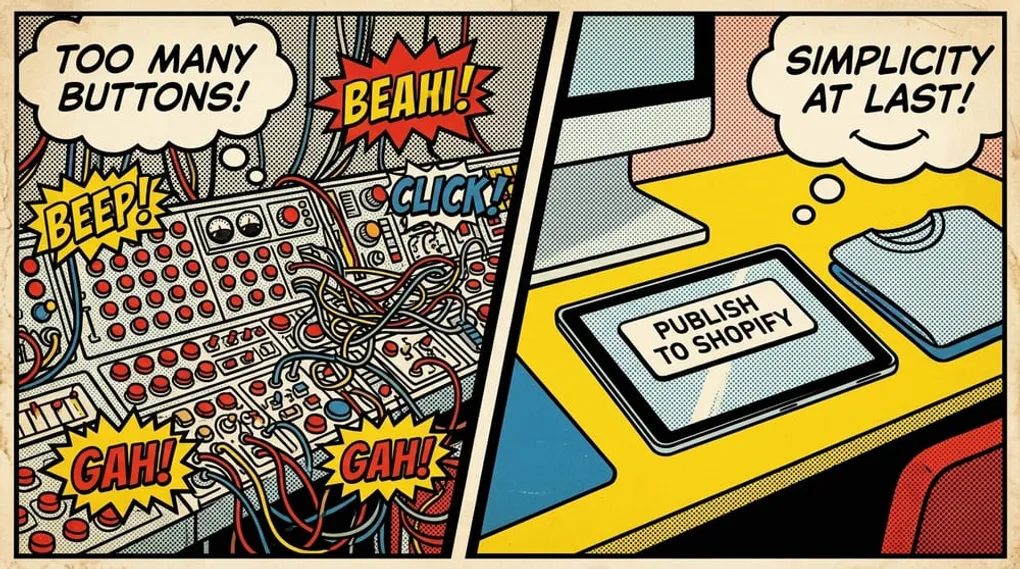
Quick answer: the best MyDesigns alternative for a serious Shopify seller is not the tool with the most features. It is the workflow that helps you move real designs through Printify, mockups, product setup, Shopify publishing, status checks, and retries with the least manual cleanup.
Free mockups alone do not make this the right comparison. The fit is strongest when you already have designs, use Printify, sell through Shopify, and need a more reliable way to publish products every week.
Key takeaways
- A serious MyDesigns alternative should be judged by published products, not signups or mockup downloads.
- Shopify-first sellers should compare workflow fit, variant/image cleanup, publishing status, and failed-job recovery.
- Mockup Maestro is a narrower fit than MyDesigns: it is for sellers who need a focused Printify plus Shopify execution workflow.
- Test with real products before switching a catalog.
- Compare pricing by cost per successfully published product, not monthly fee alone.
- Use the MyDesigns decision hub if you want the pricing, review, and comparison paths in one place.
Why serious sellers evaluate a MyDesigns alternative
The switch usually starts when the business has outgrown the way the weekly work gets done, not because a seller dislikes the platform.
For a Printify and Shopify seller, the pain usually sounds like this:
- “I already have designs. I need to get them live faster.”
- “Every batch creates cleanup inside Shopify.”
- “I need to know which jobs failed and retry them without starting over.”
- “Mockups and product images keep becoming a manual QA step.”
- “I need an assistant to repeat this workflow without a long training session.”
That is not a free-tool problem. It is an operations problem.
What MyDesigns is good for
MyDesigns can make sense when you want a broad workspace for POD and digital-product operations. If your team uses its asset organization, creative tools, mockup workflows, and marketplace coverage every week, the breadth may be worth it.
Stay with a broader all-in-one workspace if:
- you need one hub for many sales channels
- file organization is a bigger bottleneck than publishing
- your team already knows the workflow well
- you use the wider creative and marketplace features every week
- your current process is producing products without much cleanup
The point is not to switch for the sake of switching. The point is to remove the work that is limiting output.
What a Shopify-first alternative should do better
A Shopify-first alternative should help with the parts of the workflow that create drag after the design is already finished.
Printify product setup
You should be able to move from design files into product setup without rebuilding the same choices over and over. A stronger workflow keeps templates, providers, variants, and product settings close to the publishing path.
Mockup Maestro’s Bulk Product Creator is built around that kind of repeatable setup.
Mockup and media handling
Mockups are not just pretty listing images. They affect trust, click-through, and whether shoppers understand the color or product variant they are selecting.
A better workflow should make mockup and media work repeatable. In Mockup Maestro, mockup generator access depends on account feature access, and batch mockup submission is available when the batch mockup feature is enabled.
Shopify follow-through
If every publish still requires a Shopify cleanup pass, the workflow is not actually finished.
Look for the work that happens after a product is created: product images, media order, variant behavior, product status, publishing status, and retries. Mockup Maestro’s Shopify Mockup Sync and publishing-status workflows are designed around that follow-through.
Status and recovery
Serious sellers need to know what happened to a batch. A vague loading screen or silent failure is expensive because it turns automation into detective work.
A better workflow should expose status states such as queued, processing, completed, failed, published, or cancelled, and should give you a retry path when something breaks.
Migration checklist before you switch
Use this as a practical checklist before moving production work out of any platform.
| Check | Why it matters for Shopify operators |
|---|---|
| Products | Confirm the blanks, providers, variants, and product settings you repeat most often are easy to recreate. |
| Mockups | Check whether product images and variant media are close enough to publish without a long QA pass. |
| Listing fields | Review titles, descriptions, tags, prices, and any fields you still edit in Shopify after publishing. |
| Store connection | Make sure the workflow maps to the Shopify store you actually use, not just a demo account. |
| Failure recovery | Trigger or inspect a failed job path so you know whether retries are clear. |
| Team handoff | Ask whether an assistant could run the same five-product batch next week without you narrating every click. |
Compare the economics correctly
For pricing, open the current MyDesigns pricing page and compare it with Mockup Maestro pricing. For the dedicated pricing analysis, read MyDesigns pricing: is it worth it for Printify and Shopify sellers?. But do not stop there.
Use this formula:
(monthly software spend + monthly labor cost + add-ons or usage limits) / successfully published products
The labor part matters. If a tool saves you money on the subscription but leaves you fixing images, variants, product copy, or failed jobs by hand, it may still be the more expensive workflow.
Ask:
- How many products can I launch per week without extra cleanup?
- What happens when a product or publishing job fails?
- Are AI, mockup, or batch actions metered?
- Can I connect the workflow to Printify and Shopify without extra manual steps?
- How long would it take to train someone else to run the batch?
The five-product test
Before you switch tools, run a real batch test.
Use real inputs
Do not test with sample art. Use the kind of designs, blanks, variants, and product settings you actually sell.
Keep the batch small
Five products is enough to expose the workflow without risking a messy catalog migration.
Measure the right outcome
Track:
- time to publish-ready product
- number of manual Shopify fixes
- mockup and image correctness
- product or publishing failures
- retry experience
- how easy the workflow is to repeat
If the alternative reduces cleanup and gives you clearer status, it is doing the job.
Where Mockup Maestro fits
Mockup Maestro is a focused option for sellers whose core workflow is:
- Upload or generate designs.
- Set up products through a guided workflow.
- Generate or manage mockups and product images.
- Publish to connected stores.
- Monitor status and retry failures when needed.
That makes it a better fit for Printify plus Shopify sellers than for teams that need a giant all-purpose creative workspace.
For the broader positioning, start with the MyDesigns decision hub or read the MyDesigns vs Mockup Maestro comparison. If pricing is the question, use the MyDesigns pricing breakdown. If you want the review angle, read the MyDesigns review for Printify and Shopify sellers. For the tool-level workflow, see the print on demand automation software page.
Run a five-product Printify + Shopify batch
Connect Printify and Shopify, upload real designs, publish a small batch, and measure cleanup, retries, and repeatability before moving more work.
Frequently asked questions
What is the best MyDesigns alternative for Shopify?
The best alternative is the one that improves your weekly production workflow. For Printify plus Shopify sellers, that usually means faster product setup, better status visibility, fewer manual image or variant fixes, and a clearer retry path.
Should I switch away from MyDesigns?
Not automatically. Stay if the broader workspace helps your business and your team already runs it well. Consider switching only if Shopify execution, Printify product setup, mockups, or failed jobs are slowing growth.
Is Mockup Maestro for beginners?
It can help newer sellers, but the strongest fit is a seller who already has designs and wants to publish products more reliably. It is not positioned as a free mockup download tool.
How should I compare pricing?
Compare cost per successfully published product. Subscription price matters, but so do add-ons, usage limits, failed jobs, and the labor required to clean up products after publishing.
Next steps
Related workflow pages
Turn this guide into a working production path inside Mockup Maestro.
Printify automation software
Automate the product setup steps around Printify while keeping fulfillment safe.
Printify bulk upload
Build reusable product templates and bulk upload Printify-ready products with fewer clicks.
Printify integration
See how Printify fits into a cleaner POD production workflow.
Pricing
Compare plans against the manual labor cost of publishing at scale.
