

Guides
Shopify vs Printify: How the Integration Works (2026)
Stop comparing Shopify vs Printify. Learn how to connect them, avoid the Pop-Up store trap, and automate your print-on-demand fulfillment workflow.
Shopify vs Printify: How the Integration Works (2026)
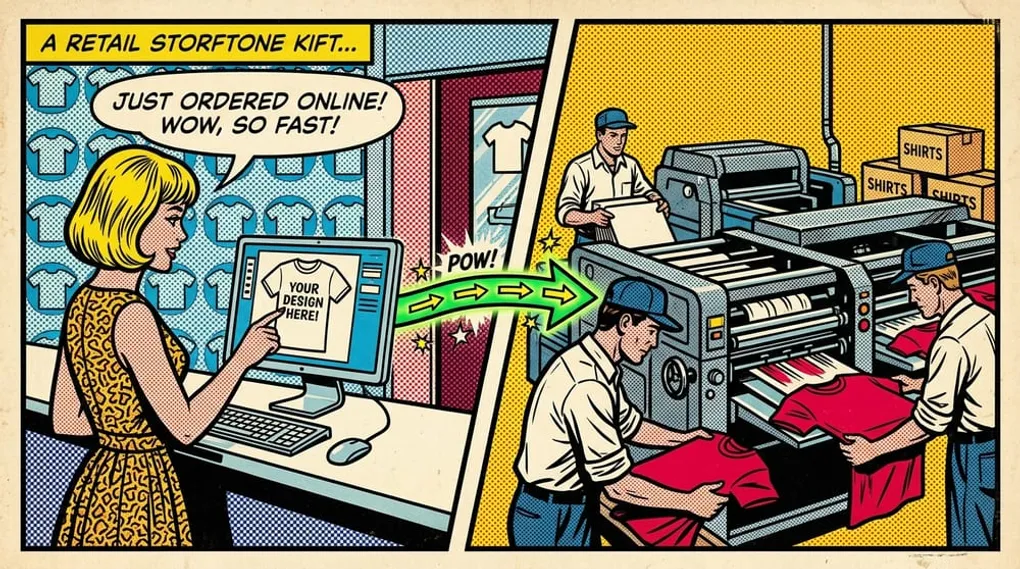
Shopify and Printify are not competing choices. Shopify is the storefront that takes payment and presents the brand. Printify is the fulfillment network that prints and ships the product. Comparing them is like comparing your cash register to your delivery truck. They don’t compete. They do entirely different jobs.
In short: Shopify is your storefront, and Printify is your fulfillment partner. You need both to build a professional brand.
Once you understand how these two platforms fit together, you can build an automated print-on-demand workflow that practically runs itself. New sellers stall out when they treat the storefront and fulfillment network as substitutes instead of connected layers.
Key takeaways
- Stop the comparison. Shopify is your storefront. Printify is your fulfillment partner. You need both.
- Own your domain. Printify’s built-in Pop-Up Store limits brand growth because it lacks custom domain support. Always connect to an independent Shopify store.
- Know your costs. You pay Shopify a flat monthly fee. You only pay Printify when a customer actually buys a product.
- Print-on-demand is not passive. You still have to manage marketing, sample validation, and customer expectations around shipping times.
- Automate the handoff. Once correctly linked, orders flow from Shopify directly to Printify without you lifting a finger.
The “Vs” Myth: Why It’s Not a Competition
The “vs” framing breaks down quickly.
When you build a print-on-demand business, you need two distinct systems. You need a place for customers to browse, trust your brand, and hand over their credit card details. And you need a physical facility to print the artwork on a t-shirt and put it in the mail.
Shopify and Printify split these responsibilities down the middle. Think of it as the “Operating System” analogy. Treat Shopify as your OS. Treat Printify as the logistics layer.
If you try to use one without the other, you either end up with a beautiful store that has no products to sell, or a massive printing network but no way for customers to actually find you and buy.
Shopify: Your Retail Operating System
Shopify is the brain. It handles the retail experience.
When a shopper lands on your website, everything they see and interact with is Shopify. It hosts your .com custom domain. It provides the shopping cart. It processes the credit cards securely through Shopify Payments.
Shopify is also where you build your marketing engine. You can capture email addresses, set up abandoned cart recovery, and offer discount codes. For store feature details, check the Shopify Help Center.
But Shopify does not print anything. They do not hold inventory. They don’t know the difference between a Bella + Canvas 3001 t-shirt and a Gildan heavy cotton hoodie. They just provide the software to sell them. For faster store management, use our Printify-to-Shopify connection guide next. The bulk mockup sync workflow and best Shopify theme guide for POD cover the next scaling steps.
Printify: The Logistics and Manufacturing Layer
Printify is the muscle. It operates as a massive aggregator, connecting you to dozens of independent print providers around the world.
When you want to sell a coffee mug, you don’t buy a warehouse and an expensive sublimation printer. You log into Printify. You pick a blank mug, upload your design, and select a print provider from their network.
Printify handles the messy physical world. They manage the direct-to-garment (DTG) printing process. They handle the blank garment sourcing. They print the shipping label and hand the package to the postal service.
But Printify is terrible at being a public-facing retail store. They don’t give you the tools to build a highly customized, branded buying experience. That is entirely by design. They want to be the backend.
The Printify Pop-Up Store Trap
I need to address a specific feature that trips up a lot of beginners: the Printify Pop-Up Store.
Printify introduced this feature to let users sell products directly through a Printify-hosted link without needing to set up a Shopify store. It sounds great on paper. You save the Shopify monthly fee and launch instantly.
Do not use it if you want to build a real brand.
The Pop-Up Store does not support custom domains. Your URL will look like my-brand.printify.me. When a shopper clicks an Instagram ad and lands on a generic subdomain, they bounce. It looks amateur. It destroys buyer trust. In an era where E-E-A-T matters more than ever, a cheap subdomain signals that you are not a serious business.
The Pop-Up Store is fine if you are selling a handful of inside-joke shirts to your fantasy football league. It is completely useless for building a scalable business.
Pay for Shopify. The monthly fee buys you the ability to own your customer relationships and build real equity. Start by checking out our pricing to see how automation scales your margins.
The Financial Breakdown: Subscriptions and Margins
Understanding the money flow removes the fear of starting.
A lot of operators get confused about who they are paying and when. A single transaction makes the margin structure clearer.
The Shopify Subscription
Shopify requires a flat monthly subscription. Think of this as your rent. It keeps the digital lights on. You pay this regardless of whether you sell zero shirts or ten thousand shirts.
The Printify Model
Printify is free to use. You do not pay a monthly fee to have an account. You only pay Printify when an actual order comes in.
Say you sell a t-shirt on your Shopify store for $25. The customer pays you $25 (plus shipping). The money goes into your Shopify Payments account.
Shopify automatically sends the order details to Printify. Printify then charges your credit card on file for the base cost of the shirt and the shipping, about $12 in this example.
Printify prints the item and ships it. You keep the $13 difference as gross profit. Your upfront risk is incredibly low.
When to use Printify Premium
Printify offers a “Premium” subscription tier. For a monthly fee, it can unlock discounts and other account benefits that matter once order volume is steady.
Do not buy Printify Premium on day one. It is usually a waste of money for a brand-new store. Wait until you are selling enough volume that the discount saves more than the monthly subscription costs. Upgrading is a math problem, not a requirement for success. For the detailed break-even model, use our Printify pricing and Premium cost guide. If the broader question is whether the fulfillment path is right for your store, read Is Printify Worth It for Shopify Sellers?.
Step-by-Step: The 60-Minute Integration Guide
Connecting these two platforms is painless. You do not need to hire a developer.
1. Set up your accounts
Create your Shopify store and pick a basic plan. Then, open a new tab and create your free Printify account.
2. Connect the apps
Log into your Shopify dashboard. Go to the App Store. Search for the Printify app and install it. This links the two accounts. It gives Printify permission to read your incoming Shopify orders and update your shipping tracking numbers automatically. For technical integration troubleshooting, refer to the Printify Help Center.
3. Build your product
Inside the Printify dashboard, pick a blank product. Upload your design file. Set your retail price and profit margin.
4. Push to Shopify
Click publish. Printify will automatically send the product title, description, and mockups directly to your Shopify store. It instantly becomes a live listing.
If you are using Mockup Maestro, this whole process becomes a highly controlled, single-screen workflow. You don’t have to bounce between five different tabs. You can manage your store integrations, generate designs using AI, apply them to print-area templates, and publish directly to connected stores from one central hub.
When you push a product, our publish readiness checks ensure you aren’t missing critical variant data. And if an integration hiccup happens, the dedicated publishing status dashboard lets you track the failure and hit retry instantly. You never have to guess if a product actually made it to Shopify. Check out our bulk mockup generator features for more details.
The Operator’s Checklist: 3 Things Competitors Miss
Most generic tutorials stop as soon as the integration is complete. But experienced operators know that the real work starts after the store goes live.
Here are three operational realities you need to handle right away.
1. Design file optimization
Printify requires high-quality design files. If you upload a low-resolution, web-optimized JPEG, your printed shirts will look faded and blurry.
You must aim for a PNG file at 300 DPI (dots per inch) with a transparent background. The physical print will only ever be as good as the digital file you upload.
If your artwork isn’t scaling well or has messy edges, fix it before you publish. In Mockup Maestro, you can use the vectorizer workflow to convert and refine artwork for better print flexibility. Converting a raster image to a clean SVG ensures crisp, professional output regardless of the garment size.
2. Managing shipping expectations
Print-on-demand is not Amazon Prime. It takes time to actually manufacture a physical product.
This is the biggest drawback of the fulfillment model. You must manage customer expectations aggressively. Put your shipping times directly in your Shopify product descriptions. Create a dedicated FAQ page. Tell customers clearly that it takes 2-5 days to produce the item before it even ships.
Clear, upfront communication prevents angry support tickets.
3. Always order samples
Never suggest or believe that print-on-demand is passive income. You are fully responsible for quality control.
Always order a physical sample of your best-selling designs. You need to see how the ink sits on the fabric. You need to check the variant mapping to ensure a size large actually prints on a size large. Holding the physical product gives you confidence.
It proves to your customers that you actually care about what you sell, and it protects your brand reputation.
Scale Faster with the Right Tools
You don’t need five tools for this workflow.
You need a storefront. You need a printer. And you need a way to move your creative assets between them efficiently. As your store grows, managing hundreds of listings manually becomes a massive bottleneck.
For the operator-level version of that middle layer, use the Shopify print on demand software stack checklist.
Uploading designs one by one into Printify is fine for your first ten products. It is agonizing for your first hundred.
That is where a centralized approach changes the game. Use the bulk product workflow inside Mockup Maestro to queue up large updates across your catalog. You can upload designs into a shared queue, apply them to templates, and use the custom mockup generator to generate stunning visuals, managing it all without tool-hopping.
Spend less time clicking buttons and more time building your brand.
Ready to Automate Your POD Workflow?
Stop spending hours on manual uploads. Push 100 products to Shopify in minutes — get started today.
Frequently asked questions
Do I have to pay for Printify and Shopify?
You pay a flat monthly subscription for Shopify. Printify is completely free to use until a customer places an order. You only pay Printify for the base cost of the blank product and the shipping after you have already collected the retail price from your buyer.
Can I use my own domain name with Printify?
Not directly on the free Printify Pop-Up store. To use a professional .com custom domain and build real brand equity, you need to connect Printify to an e-commerce platform like Shopify.
What happens when a customer buys a product?
The payment clears in your Shopify account. Shopify automatically tells Printify to print the order. Printify charges your connected credit card for the base costs, prints the item, ships it, and pushes the tracking number back to the Shopify order.
Is print-on-demand really passive income?
No. You do not hold inventory, but you still have to create engaging designs, run marketing campaigns, handle customer service, and validate sample quality. It requires active, daily management to succeed.
Next steps
Related workflow pages
Turn this guide into a working production path inside Mockup Maestro.
Printify automation software
Automate the product setup steps around Printify while keeping fulfillment safe.
Printify bulk upload
Build reusable product templates and bulk upload Printify-ready products with fewer clicks.
Printify integration
See how Printify fits into a cleaner POD production workflow.
Pricing
Compare plans against the manual labor cost of publishing at scale.
